Use the service list to find the right option and check its requirements before ordering.
Choose a service
Sign in and click New Order or Services.
Use the service-type filter or search box to find the platform and service you need. You can also sort by price or service ID.
Click Show to read the service description. Check the required link format, start time, minimum and maximum order, and price per 1,000. Requirements vary by service.
Place your order
Click Buy beside your chosen service to open the order form.
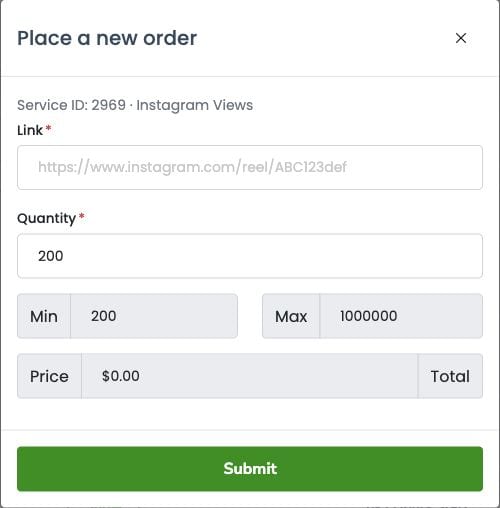
Check the service ID and name at the top.
Paste the correct profile, post or video link requested by that service into Link.
Enter a Quantity within the displayed Min and Max. Complete any extra fields requested for your service.
Review the link, quantity and calculated total. Make sure you have enough funds before clicking Submit.
Open My Orders → All Orders to check the submitted order and its status.
Never enter your social media password. If the total or required link is unclear, ask support before submitting. Service availability, prices and limits may change.
Example order form
This screenshot shows the form only. Use the current service details and calculated total when placing your own order.