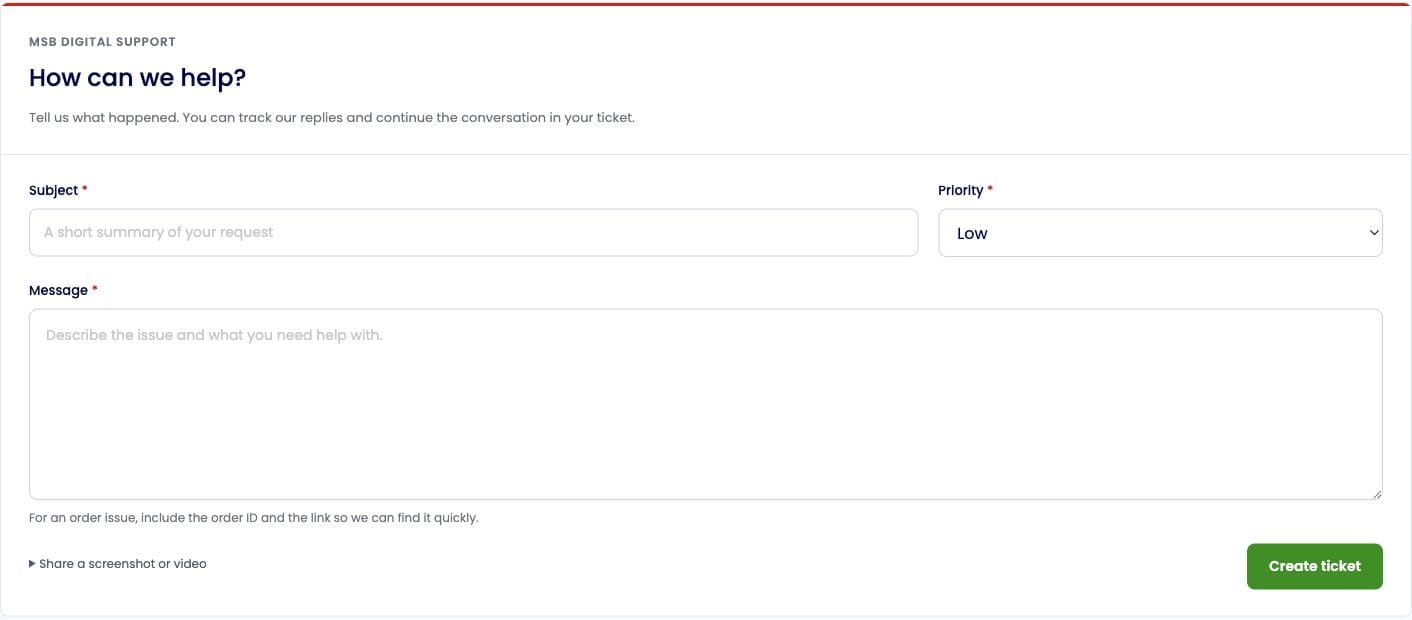
Use Support Ticket to report an order issue, ask about a deposit, or get help with your account.
Open a new ticket
Sign in and click Support Ticket in the sidebar.
Click New ticket.
Enter a short, clear Subject and choose an appropriate Priority.
In Message, explain what happened and what you need help with. For an order issue, include the order ID and the submitted link.
If helpful, expand Share a screenshot or video and follow the instructions to upload your image or recording to one of the listed services. Paste the shareable link into your message.
Review the details, then click Create ticket.
What to include
Order issue: order ID, service name, submitted link, current status and a short description.
Deposit issue: payment method, amount, date and payment reference.
Technical issue: the page, steps that caused the problem and the error shown.
Before sharing screenshots or recordings, hide passwords, verification codes, full card details and unrelated personal information.
Check replies
Return to Support Ticket and open the relevant ticket. The list shows its status, priority and last reply. Continue the conversation in the same ticket to keep the details together.
New ticket screen